Turn Any Photo Into a Professional Shot In Seconds
AI-powered photo enhancement that turns smartphone snapshots into studio-quality images — for listings, products, menus, and more.
No credit card required · Setup in minutes · Cancel anytime
Product preview — interactive mockup, not the live app
Enhance and export your photos
Upload one photo or a full shoot — we'll enhance, upscale, and deliver.
Upload photos
Drag single or multiple files here
JPEG, PNG, WebP, TIFF, GIF, HEIC/AVIF, SVG, BMP, PSD, Canon CR3 & RAW
Illustrative verticals — not affiliated with or endorsed by any specific brand named elsewhere on this site.
The Problem
Does This Sound Familiar?
You're not alone. Every business deals with these headaches.
Outdated or Low-Quality Photos
“Our photos are years old and taken on phones. Customers arrive expecting something different, and it shows in our reviews.”
Expensive Professional Photography
“We spend $500+ per shoot on professional photography. Across our portfolio, that's $20K just on photos every year.”
Inconsistent Visual Quality
“Different people take photos on different devices. Our brand looks completely inconsistent across every platform.”
There's a better way.
Features
Everything You Need in One Platform
Here's how ImageSystems transforms your photo workflow — from enhancement to SEO-ready delivery.
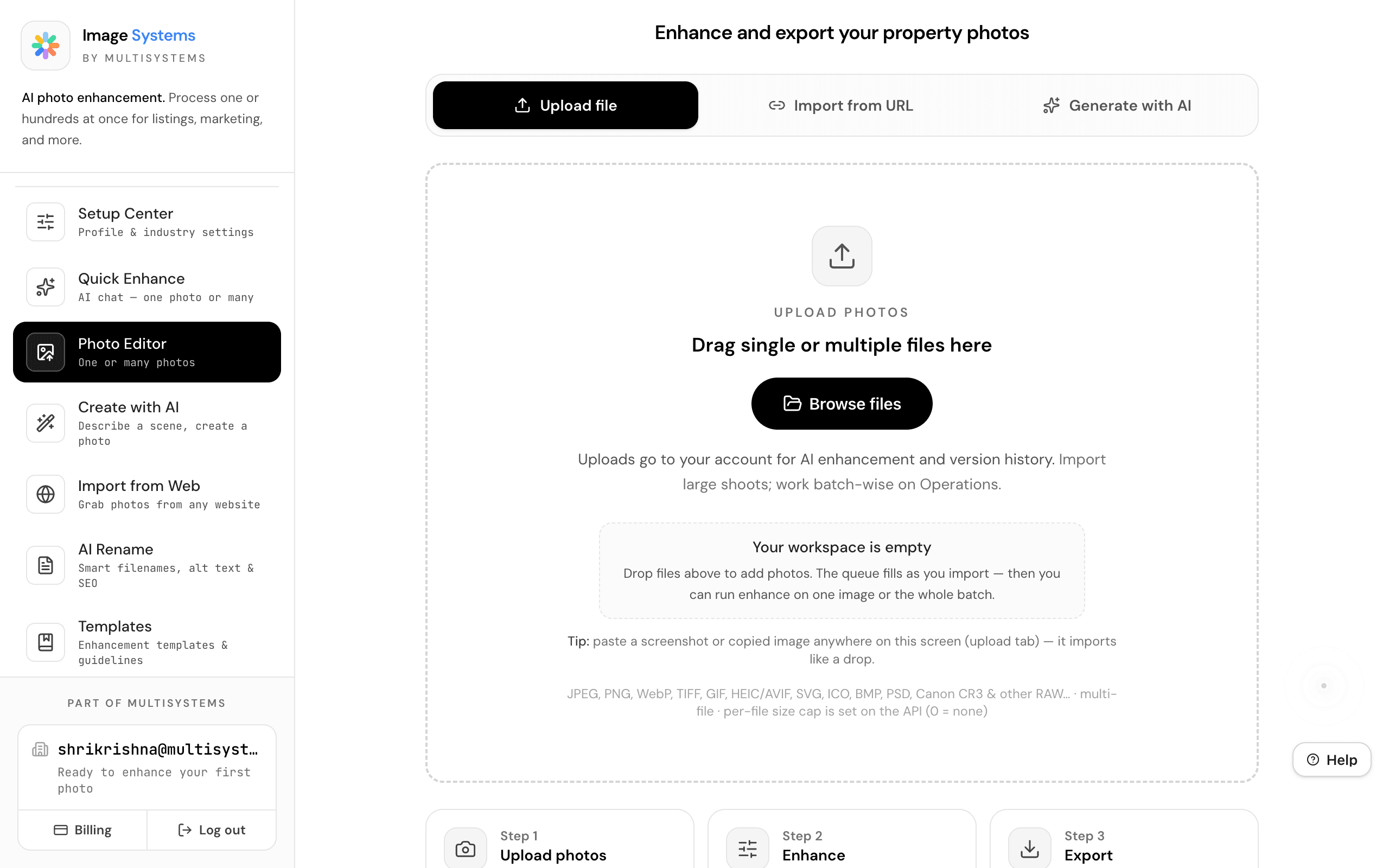
Photo Editor
One or Many Photos
Drop any image — JPEG, PNG, WebP, Canon CR3, RAW — and our AI pipeline transforms it into a professional-grade shot. Process one photo at a time or batch hundreds with the same settings.
- Supports JPEG, PNG, WebP, TIFF, HEIC, PSD, Canon CR3 & RAW
- Single photo or multiple-photo batch processing
- Compare before/after side-by-side
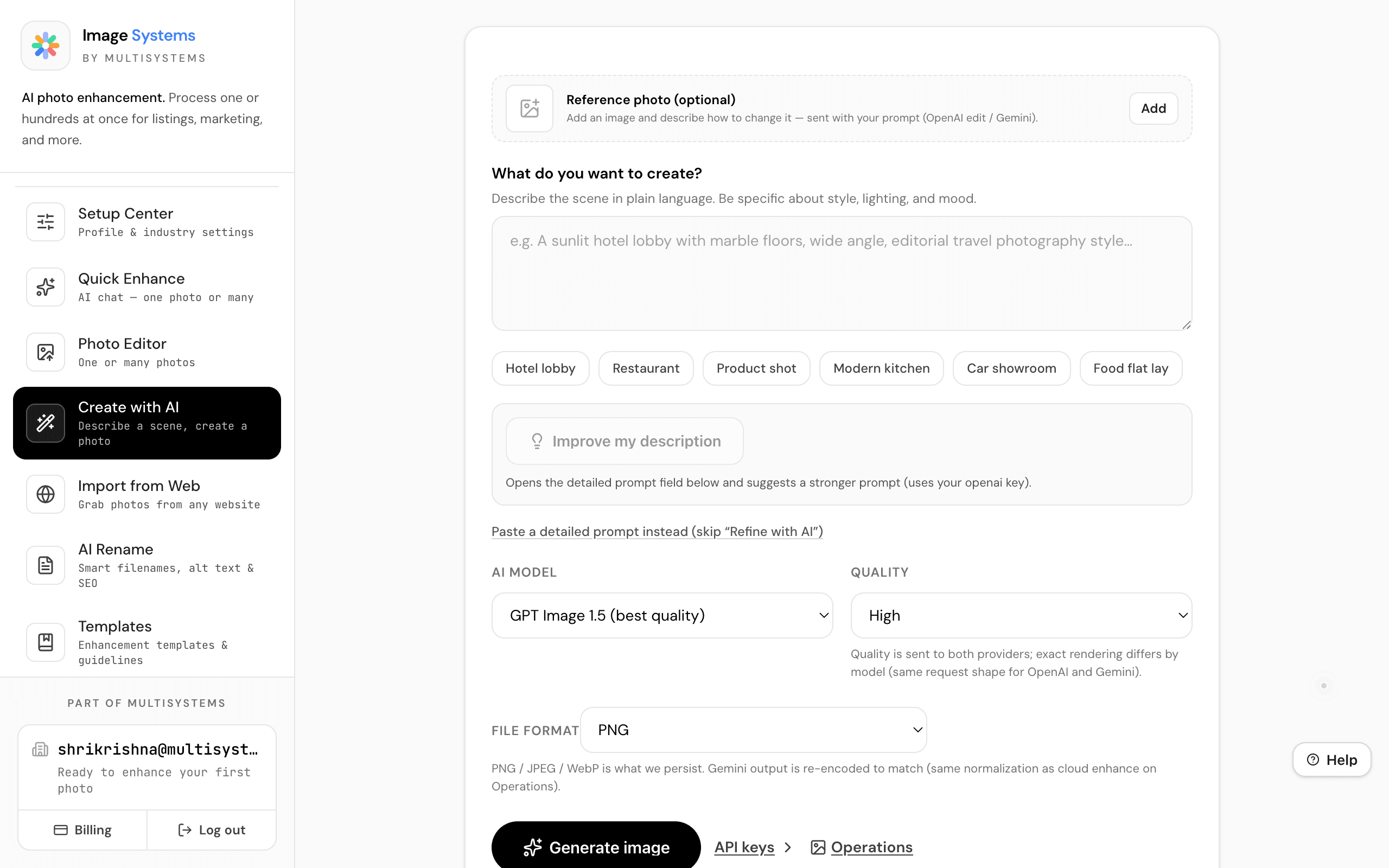
Create with AI
Describe a Scene, Create a Photo
Describe what you want in plain language — a sunlit lobby, a product flat lay, a twilight exterior — and AI generates photo-realistic imagery. Choose between OpenAI and Gemini, with quality and format controls.
- Natural language scene description
- AI improves your description automatically
- Multiple providers: OpenAI & Gemini
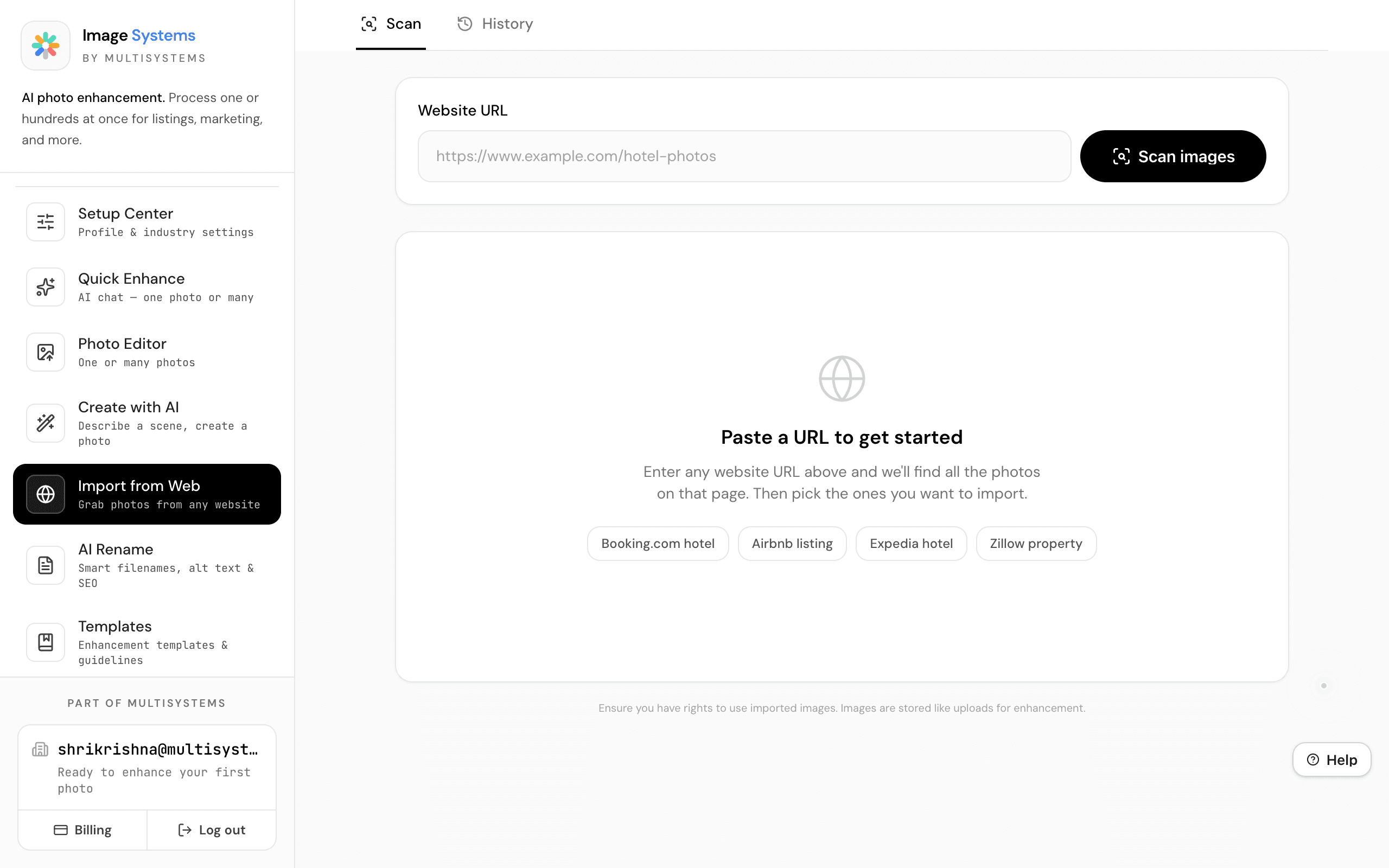
Import from Web
Grab Photos from Any Website
Paste any URL — Booking.com, Airbnb, Zillow, or your own site — and ImageSystems finds all the photos on that page. Select which to import and enhance them in batch.
- Scans any public page for images
- Enhanced scanning for JavaScript-heavy sites
- Batch import directly into your workspace
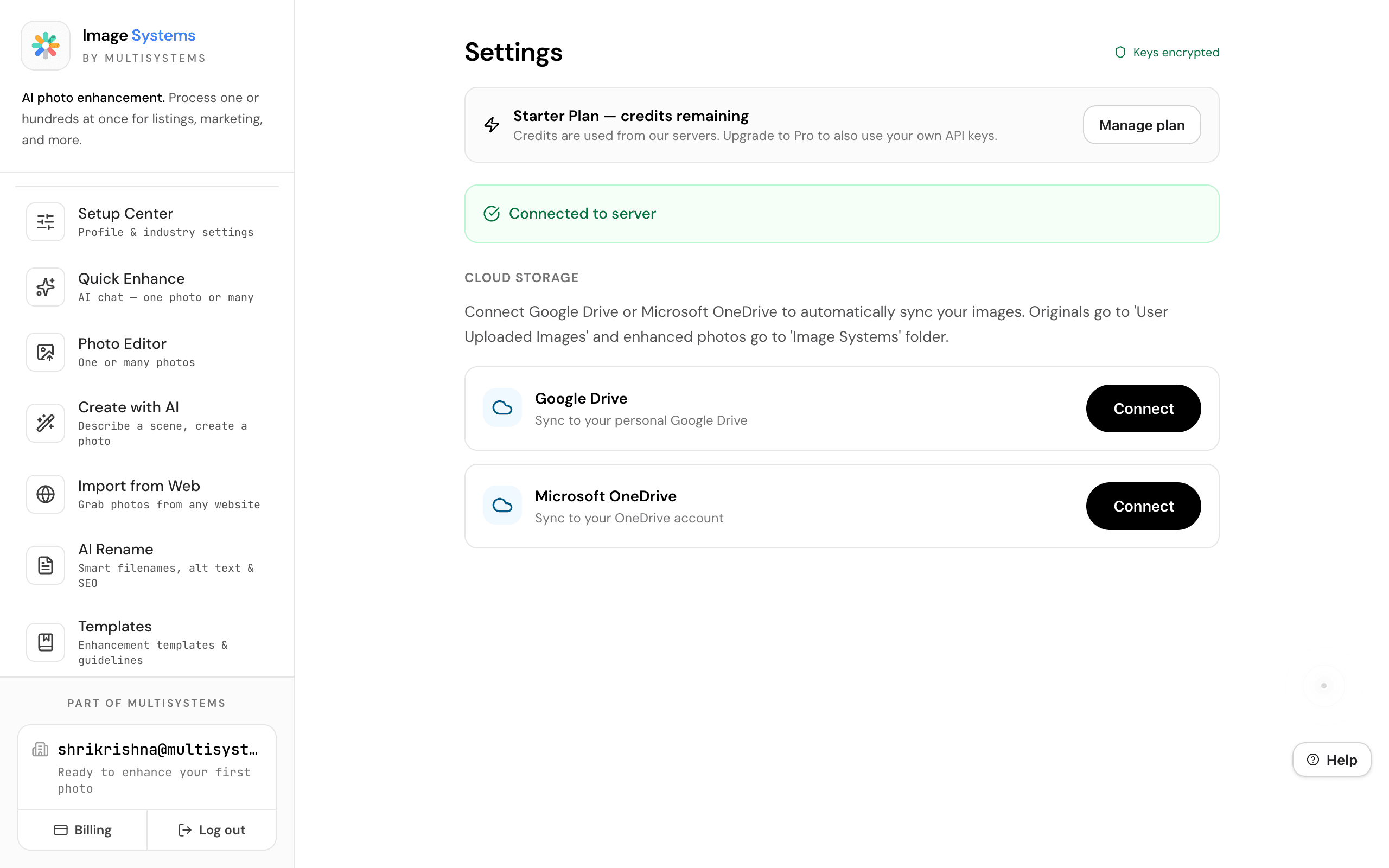
Settings & API Keys
Connect Your AI Services
Connect your preferred AI providers with your own API keys — or use your plan credits automatically. All keys are encrypted on the server, never stored in the browser.
- Multiple AI providers with BYOK support
- Encrypted key storage on server
- Use plan credits or bring your own keys
103 Enhancement Templates
Built-In Quality Guidelines
Browse 103 enhancement templates with policy rules that define exactly what AI can and cannot change. Each template specifies allowed behaviors (like straightening lines) and forbidden behaviors (like adding fake furniture). Smart Mode ranks templates by relevance to your current photo.
- 103 templates across real estate, hospitality, and more
- Policy rules: allowed and forbidden AI behaviors
- Smart Mode ranks by relevance and context
Setup Center
Industry-Specific Presets
Choose your industry — Real Estate, Restaurants, E-Commerce, Automotive — and ImageSystems customizes your default enhancement presets, lighting options, export formats, and AI suggestions. The Adaptive Workspace learns your style over time.
- Industry presets for Real Estate, Food, E-Commerce, Auto
- Customized lighting, export, and AI defaults
- Adaptive Workspace learns your workflow over ~12 jobs
Quick Enhance
AI Chat — One Photo or Many
Type a command like 'make it brighter', 'output 4k', or 'run batch' — and the AI handles it. Quick Enhance is a conversational interface for photo enhancement. Upload photos, give instructions in plain language, and run your entire pipeline from a chat window.
- Natural language commands for any enhancement task
- Single photo or bulk batch mode (up to 9,999 photos)
- Manual controls for scale, format, engine, and model
AI Rename
Smart Filenames, Alt Text & SEO
Upload up to 200 images and get SEO-optimized filenames, WCAG-minded alt text, and keyword metadata — all generated by AI. Vertical-aware templates for real estate, hospitality, food, product, and automotive produce industry-specific naming and copy.
- SEO filenames + accessibility alt text per image
- Vertical-aware templates (real estate, food, product, auto)
- Bulk delivery: renamed ZIP + CSV of metadata
How It Works
Three Steps to Professional Imagery
From upload to download in under a minute.
Upload Photos
Drop files, paste from clipboard, import from any URL, or generate with AI. Single photo or batch — your choice.
Enhance
Pick lighting, upscale, and quality settings. Templates guide the AI. Same settings apply to your whole batch.
Export
Compare before and after, download enhanced versions, or save to My Photos for later.
See the Difference
Watch the AI enhancement transform a hotel room photo in real time.
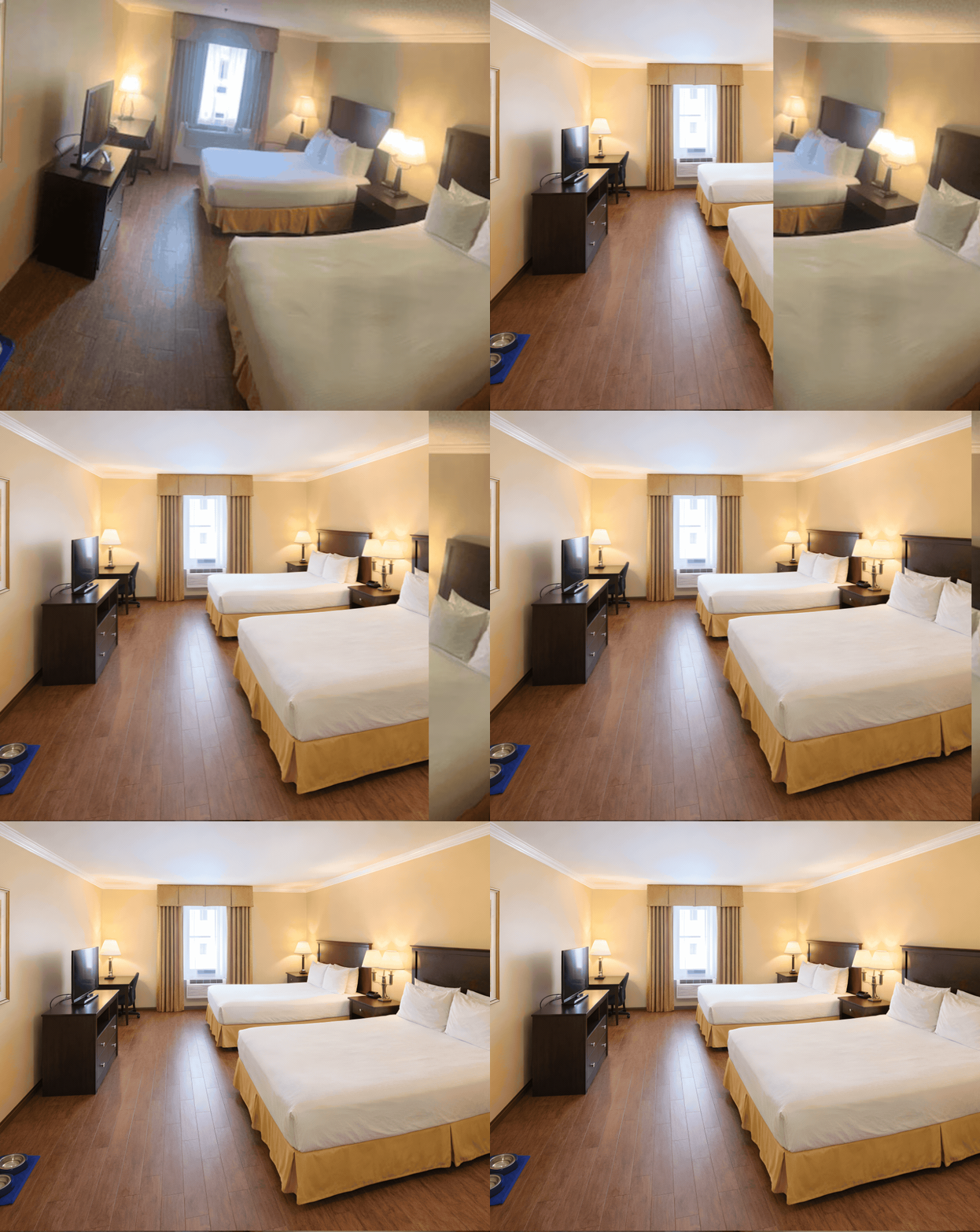
Same photo, same device — enhanced with Image Systems AI pipeline
Integrations
Works With What You Already Use
Bring your own API keys. Encrypted, verified, and under your control.
OpenAI
Photo enhancement & AI image generation. The recommended starting point.
Google Gemini
Alternative enhancement & generation. Free tier available via Google AI Studio.
Google Drive
Auto-sync originals and enhanced photos to your Google Drive folders.
OneDrive
Auto-sync originals and enhanced photos to your Microsoft OneDrive.
Outcomes
What Teams Report
Representative results from customers — roles anonymized.
Reduced recurring photography spend while improving consistency across a multi-property portfolio.
Hospitality marketing lead
Multi-property operator
Batch-processed hundreds of room photos in one session instead of spreading work across weeks.
Operations manager
Regional hotel group
Standardized listing imagery quality without hiring photographers for every refresh.
Revenue & distribution lead
Vacation rental portfolio
Ready to Transform Your Photos?
Join 100+ businesses already using ImageSystems to create professional imagery. Start free, no credit card required.
No credit card required · Setup in minutes · Cancel anytime